Granting Active Permission
How to safely enable automated staking, voting, and energy rental on the Tron blockchain
Table of Contents
Why We Ask for Active Permission
To automate energy sales and delegation rewards on your behalf, our platform must execute on-chain actions that a wallet normally performs manually.
Granting a limited active permission to our platform address TBR3efGytMvLVYCGfCt6C8RgzKCkWrvu3D with two required scopes (and up to three optional ones) allows us to:
- Delegate and undelegate (reclaim) your Energy Required
- Stake your TRX (Stake 2.0) so you keep earning resources Optional
- Vote for Super Representatives to maximize rewards Optional
- Collect those rewards automatically Optional
Cost & One-time Setup
Creating or updating an active permission is a standard Tron transaction that currently costs 100 TRX in network fees. The platform does not receive this fee.
Required and Optional Scopes
| Scope | Why It's Needed | What We Cannot Do |
|---|---|---|
| Delegate Resources Required |
Lease your available Energy to buyers at the price you set | Delegate resources to arbitrary addresses; sell below your price |
| Reclaim Resources Required |
Automatically undelegate Energy when the rental period ends | Withdraw TRX or Energy to unknown addresses |
| TRX Stake 2.0 Optional |
Freeze new TRX you deposit so you keep generating Energy & Bandwidth | Transfer or unfreeze TRX for spending |
| Vote Optional |
Cast votes for Super Representatives on your behalf to earn voting rewards | Direct votes to any SR you disallow; change owner permission |
| Claim Voting Rewards Optional |
Collect SR voting rewards and credit them to your balance | Claim rewards to any wallet other than yours |
Platform Manager Address
When setting up the Active Permission, you must use exactly this address as the key. This is our platform's manager address that will execute operations on your behalf:
Security Information
Limited Permission Depth
We request only the scopes above, under a separate key generated by you.
Funds Stay in Your Wallet
The platform can't transfer TRX or tokens, can't change your owner key, and can't deploy contracts.
Better Than Generic Smart-Contracts
Many DeFi contracts require full control of tokens. Our approach uses Tron's native permission system.
Reversible by You
You may revoke or edit the active permission at any time through TronScan.
Step-by-Step Guide
Follow these steps once. Each step includes a visual guide:
Open TronScan and log in with TronLink
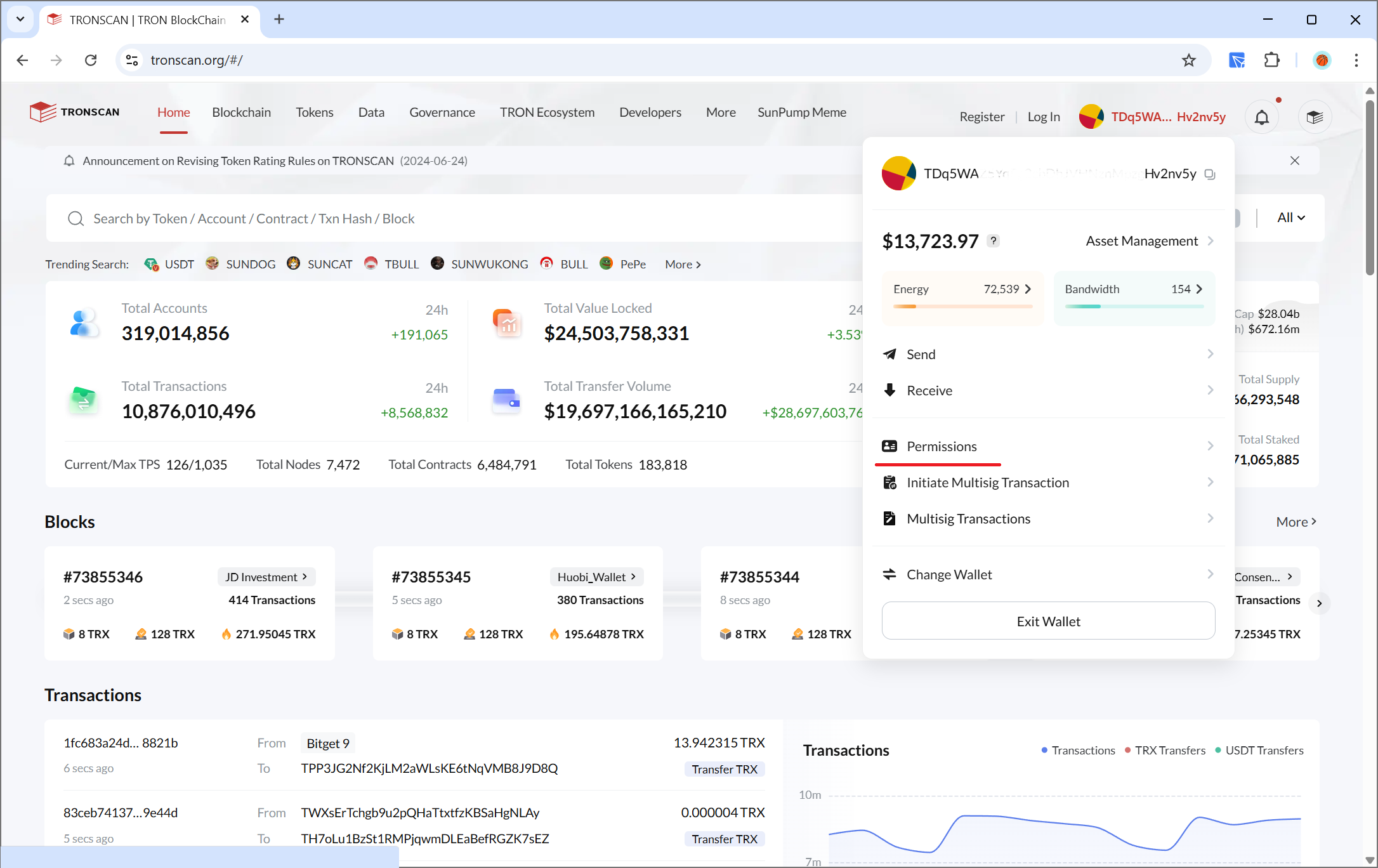
Navigate to "Account Permissions"
Left sidebar → Account → Permissions
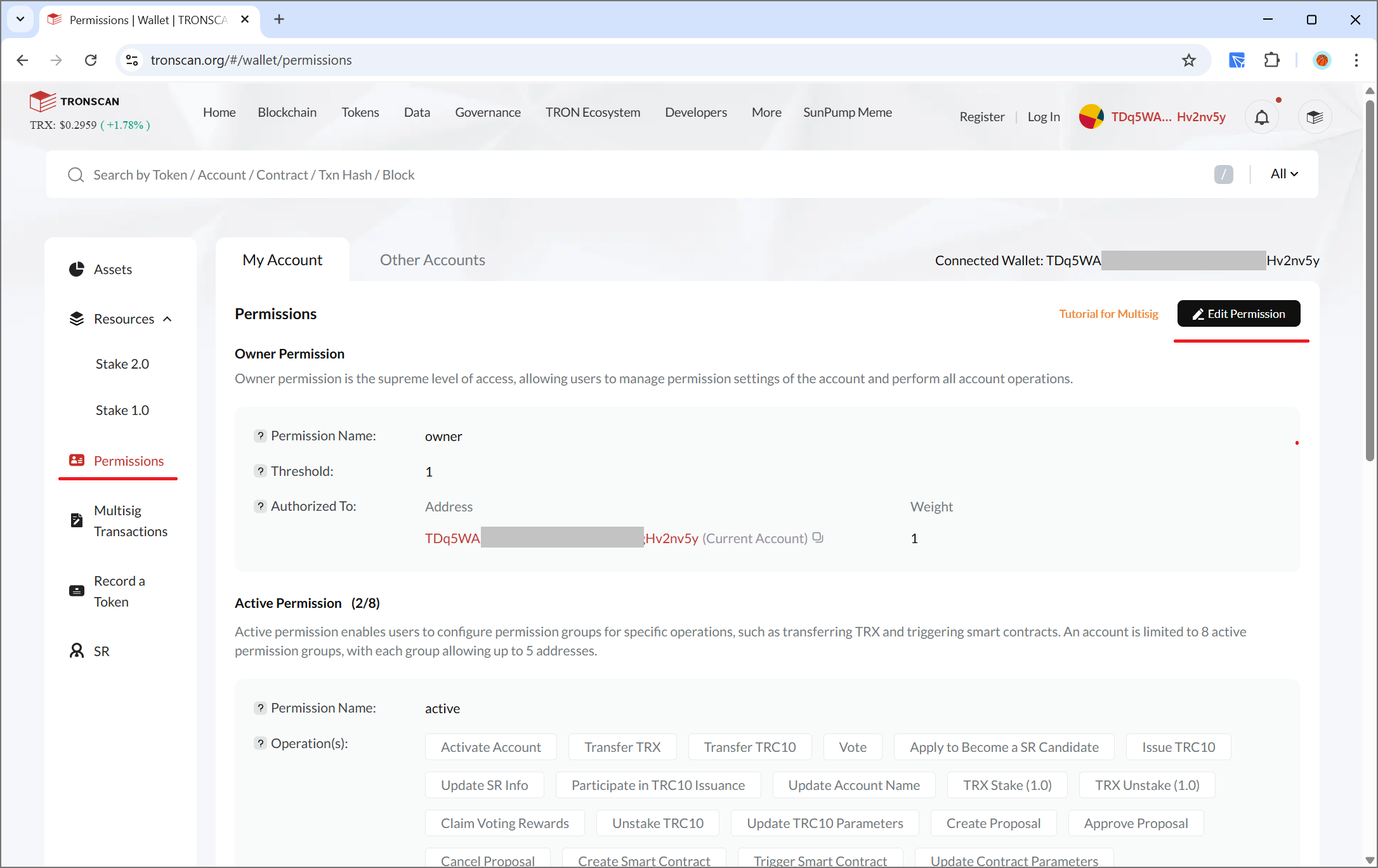
Click "Add Active Permission"
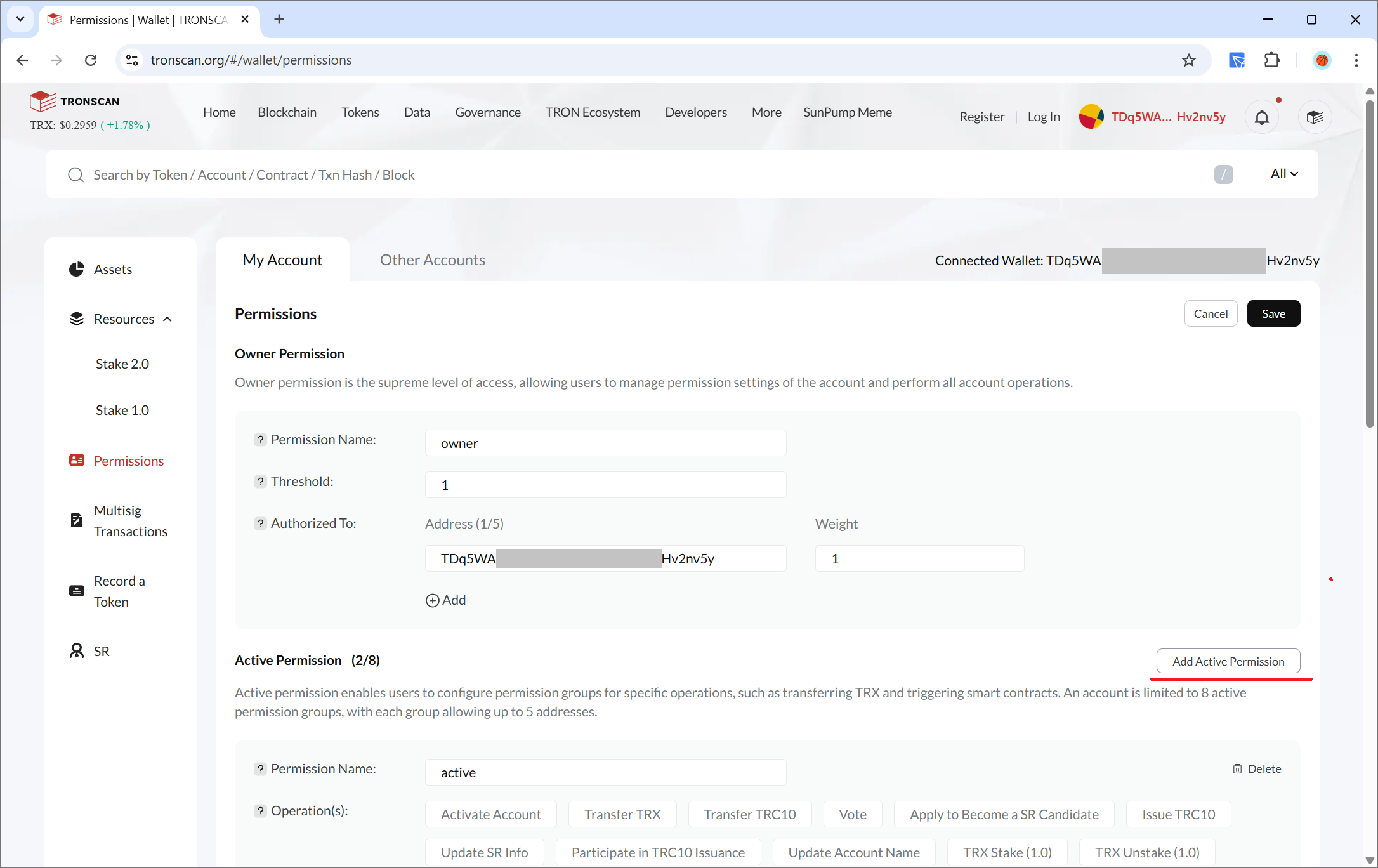
Fill the Settings
Weight: 1
Threshold: 1
Keys: TBR3efGytMvLVYCGfCt6C8RgzKCkWrvu3D
Enable these two required scopes:
- Delegate Resources
- Reclaim Resources
Optionally add:
- Stake 2.0
- Vote
- Claim Voting Rewards
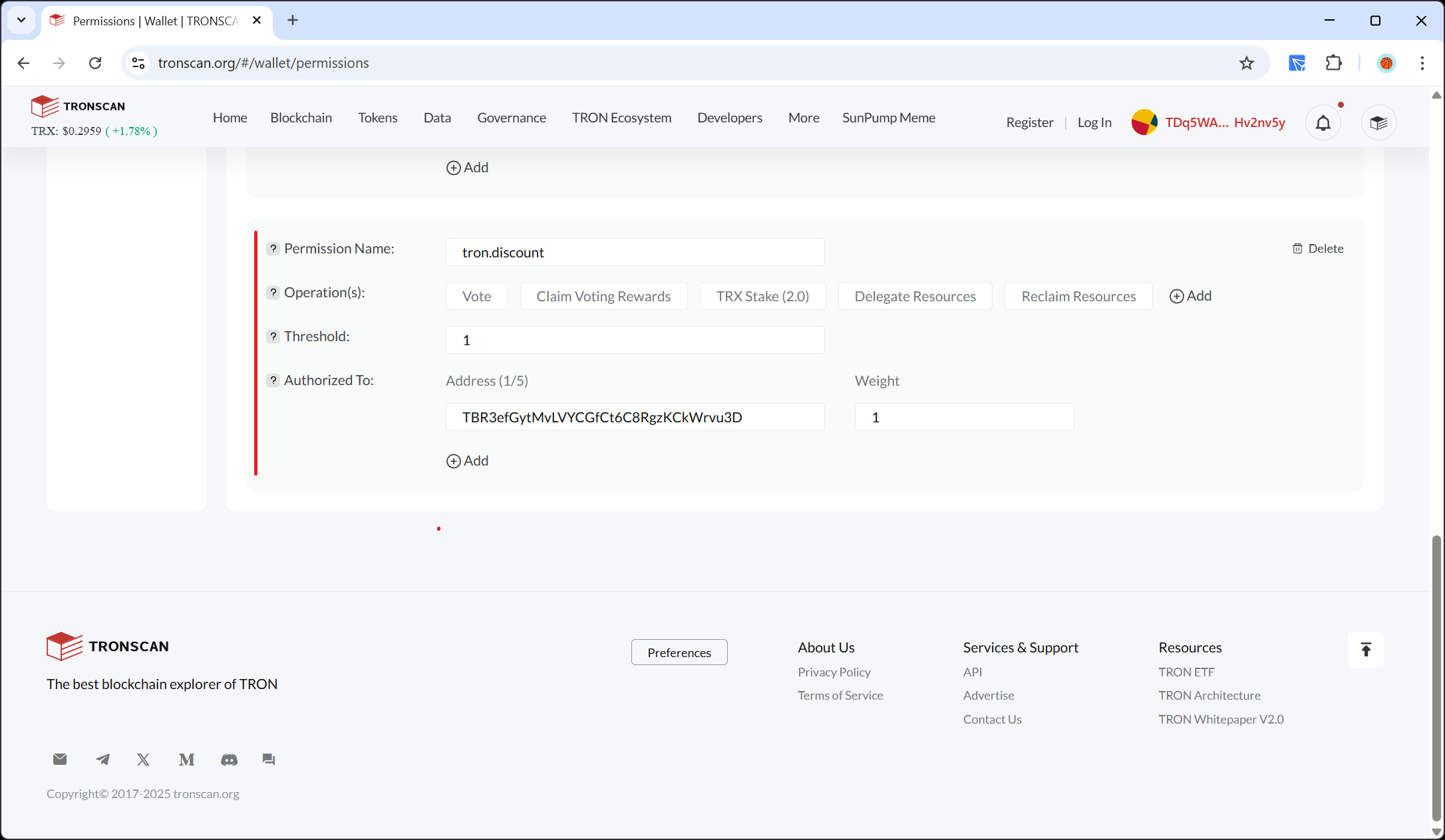
Confirm and Sign Transaction
Sign the transaction in TronLink (network fee: 100 TRX)
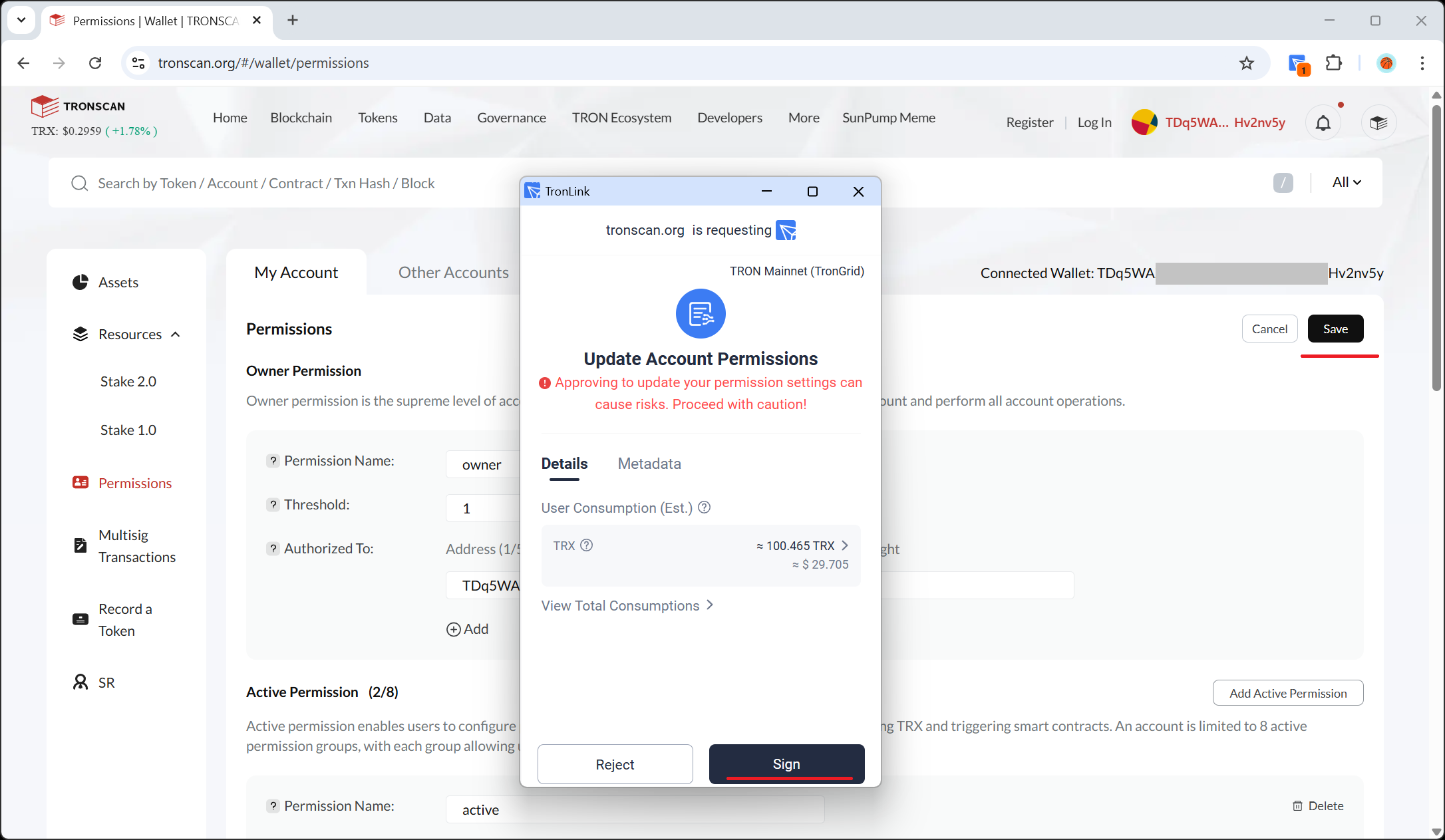
Verify Success
Verify the new active permission appears in the list
Tip
If you already have an existing Active Permission that grants access to another platform, you can simply choose Edit instead of Add and update the key address to TBR3efGytMvLVYCGfCt6C8RgzKCkWrvu3D along with the required scopes.
Revoking or Updating Permissions
- Go to Account → Permissions in TronScan
- Click the trash-bin icon or Edit beside
tron.discount - Sign the transaction in TronLink (standard network fee applies)
- After confirmation, our platform will instantly lose access (or use the new scopes/key)
Frequently Asked Questions
transfer, transferAsset, or any token approvals.
- Native blockchain security: Tron's permission system is a core blockchain feature, not a third-party contract. Its security is backed by the entire Tron network.
- Limited scope: Unlike smart-contracts that often require unlimited token allowances, our permissions are restricted to exactly 5 specific operations.
- No contract vulnerabilities: Smart-contracts can have bugs, exploits, or backdoors. Tron's native permission system has been battle-tested since the blockchain's inception.
- Full transparency: All permissions are visible and auditable on-chain through TronScan, with no hidden contract code.
- Instant revocation: You can revoke permissions immediately without depending on contract logic or waiting periods.
Your Security is Our Priority
By delegating only what's necessary, you stay in full control
Enjoy fully automated energy sales and reward harvesting while maintaining complete control over your funds.